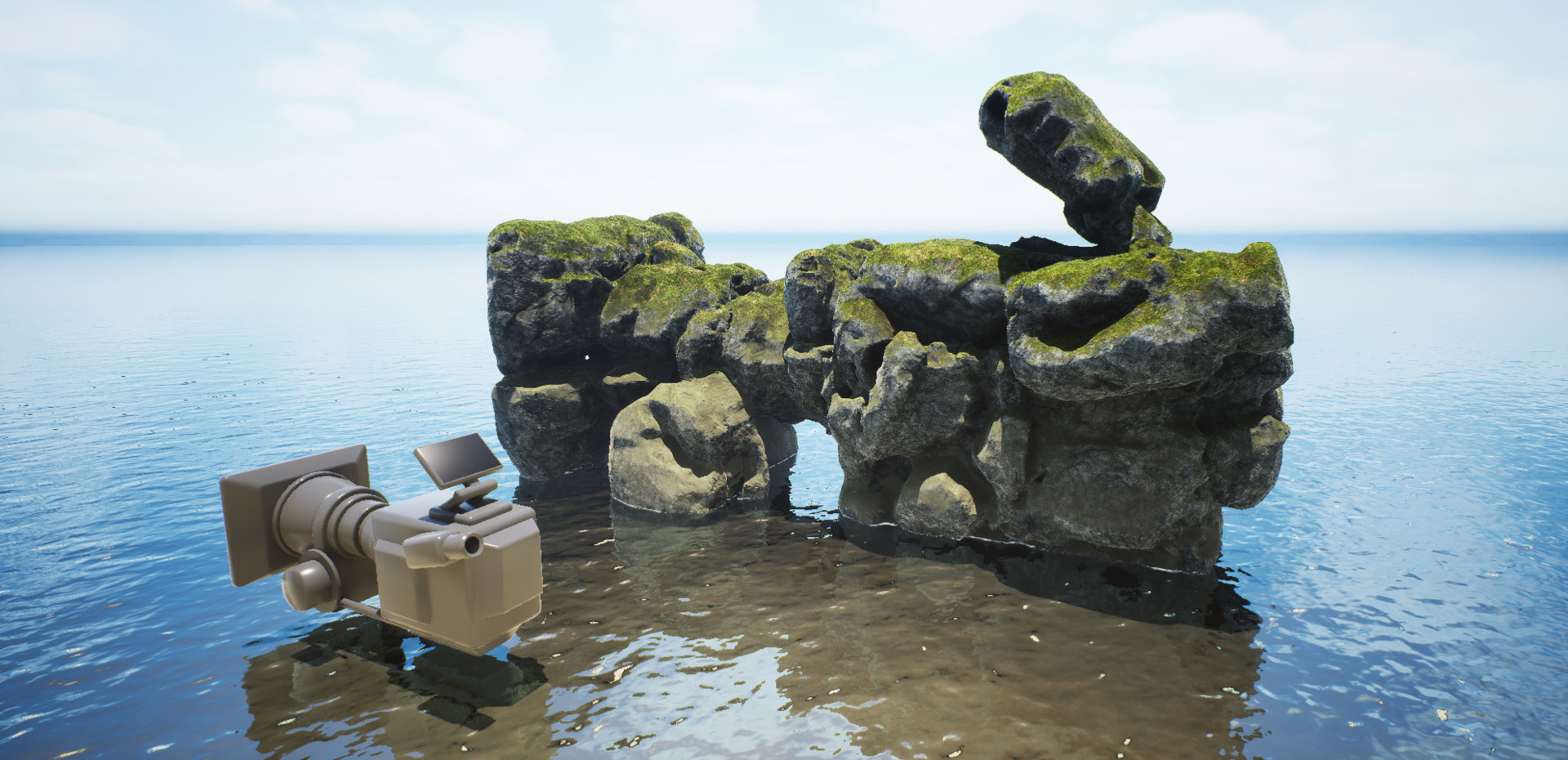
¶ Overview
The glossary is organized by the main components of the system, each represented by a dedicated tab in the auctoria plugin and potentially featuring its own unique terminology: Terrain Terms, Rocks Terms, Relief Terms, Upscaler Terms, Plugins Terms.
The tabs share common traits such as the arrangement of elements and the categorization of functionalities using keywords like: Shapes, Shape Tools, Methods, Filters, Generator, Simulations. A description of these categories can be found below.
¶ Shapes
Shapes are simple objects and basic geometries that can be used to generate the fundamental forms of rocks or other objects.

¶ Shape Tools
The term Shape Tools refers to basic 3D functions that allow for merging objects, subtracting, remeshing, and performing other related tasks. More information about the functions in the Tools category can be found in the Rocks module documentation.

¶ Methods
By the word Methods, we refer to various techniques for building objects. However, adding an object using one of the methods (CANVAS or COVER) serves more as a preview at this stage. You can find more on object creation in the In-Depth Build Methods section.

¶ Filters
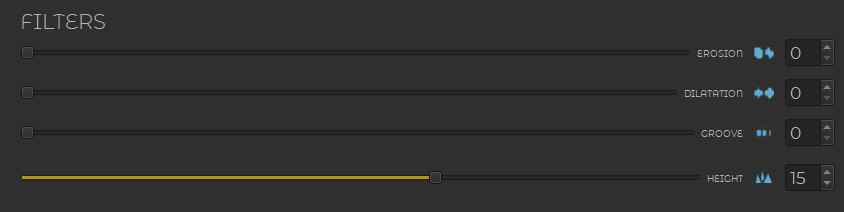
Filters are simple algorithms designed for small-scale adjustments — their values should not be set too high. They are useful for making quick corrections. More complex algorithms are categorized as Simulations.
¶ Generator Section
Generator Section is a category related to AI-based generators and provides controls for refreshing the generated content.

¶ Generator
The Generator is the core component responsible for processing input data and producing the final geometry based on selected parameters.
¶ Simulations
Simulations is a category that includes more advanced algorithms designed to simulate natural processes (or other).

¶ Terrain Terms
The Terrain Tab allows for the generation of landscapes as static meshes.
¶ Biome
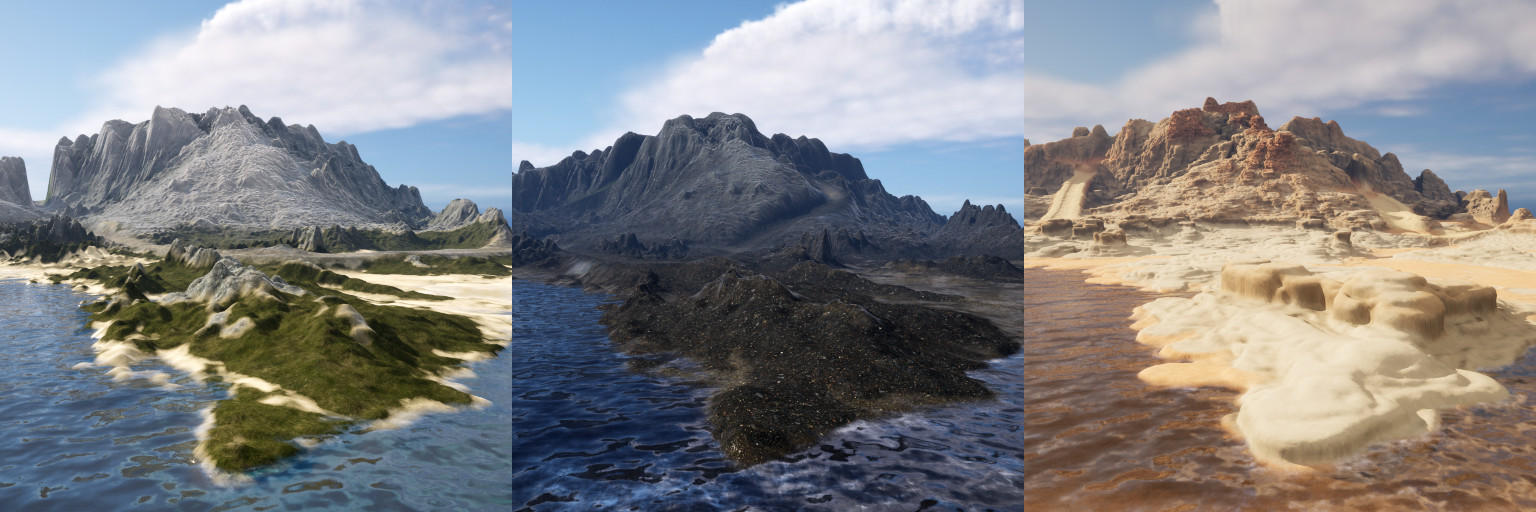
A Biome is a distinct type of environment characterized by a specific terrain structure and a set of visual features, such as ground type, textures, or the overall shape of the landscape. Different biomes can represent, for example, deserts, islands, mountainous areas, or plains, each differing in appearance.
¶ Segment Map
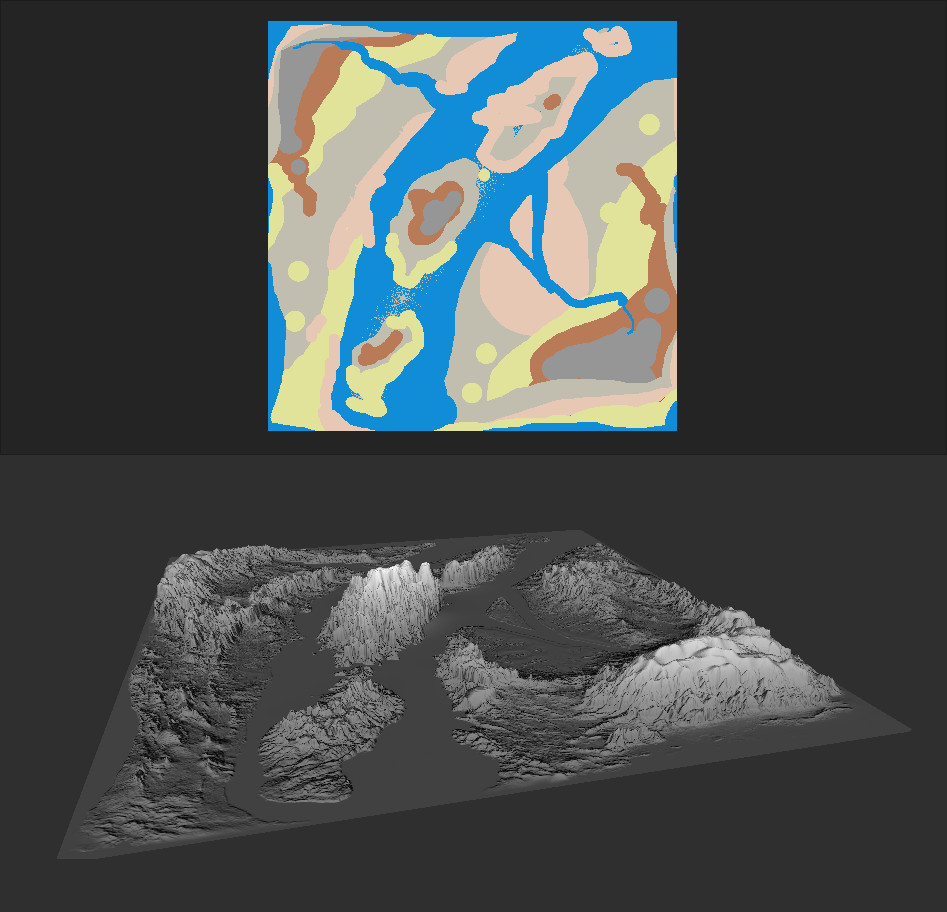
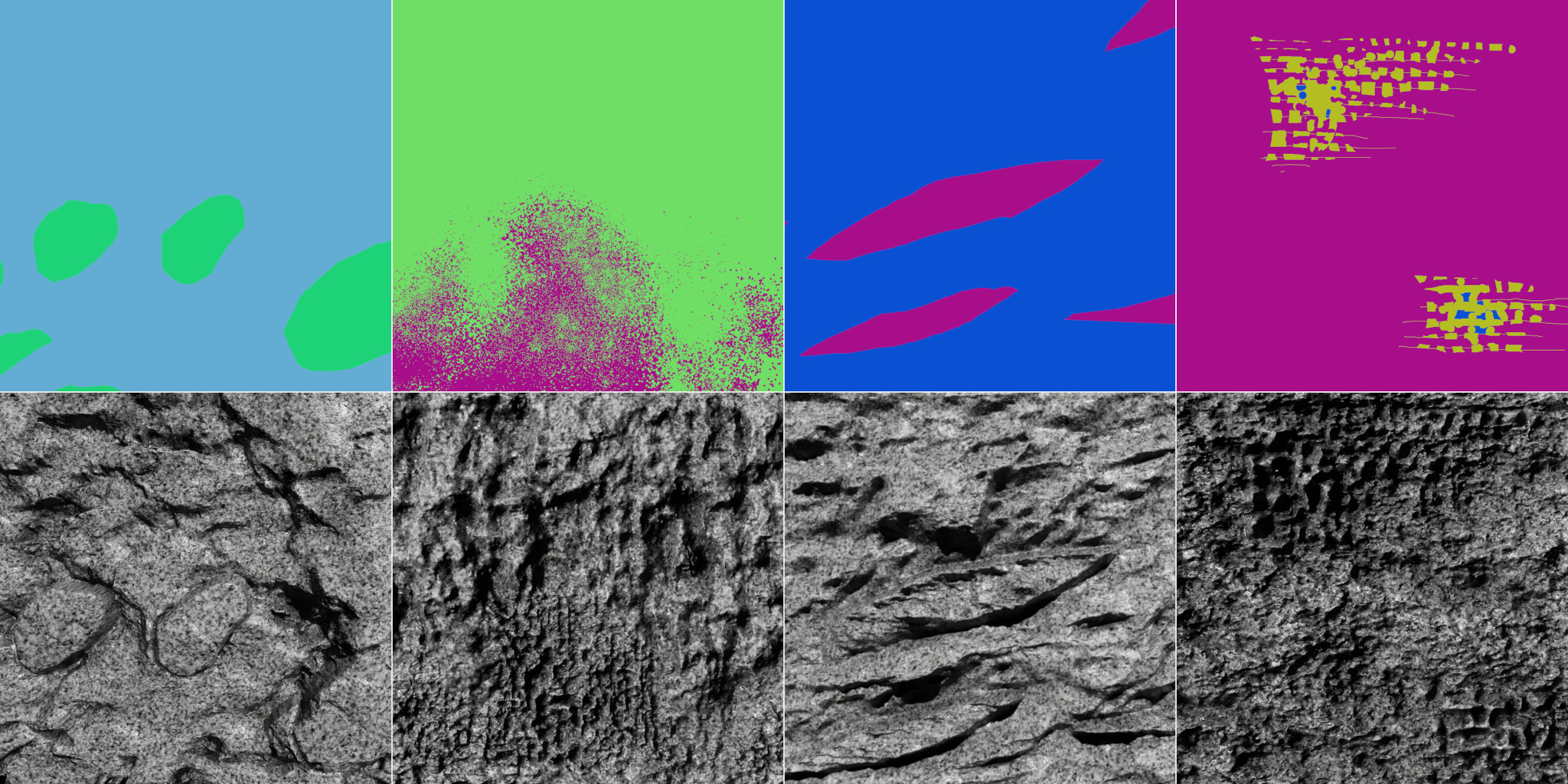
One of the key terms that will recur throughout the discussion of the various tabs (ex. Terrain, Rocks) is the Segment Map. The Segment Map is a square 2D image with a resolution of 512, 1024 (1K), or 2048 (2K) pixels, containing information about the surface fragments to be generated (segments). Each segment can have any shape, but its color must match one of the colors from the AI model's color palette (segment colors). Don’t worry if your Segment Map doesn’t look professional — the final result is generated by an AI model trained on real (natural) terrain and rock samples.
¶ Rocks Terms
The Rocks Tab enables the creation of various types of rocks and rock formations.
¶ Rock Joint
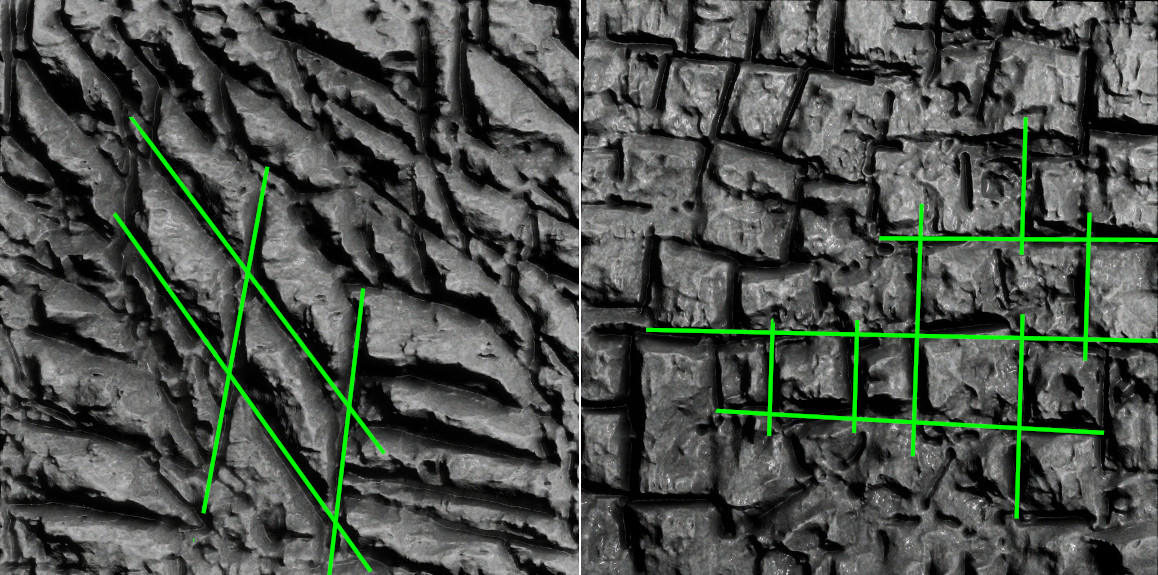
A joint (or rock joint) is a natural fracture in rock without measurable movement along its surface. Joints typically occur in sets—groups of parallel, evenly spaced fractures—or in systems formed by intersecting sets.
¶ Rock Fabric
Rock Fabric is the spatial and geometric arrangement of a rock's components, such as mineral grains, pores, or fractures. It is characterized by visible regions within the rock where these components exhibit a preferred orientation or pattern. In short, rock fabric can be described as a set of features that distinguish certain parts of a rock from others where the primary mineral components are distributed uniformly. The effect of rock fabric can be simulated by blending segments, as shown in the illustration below.
¶ Relief Terms
The Relief Tab allows for the generation of bas-reliefs from prompts.
¶ Prompt
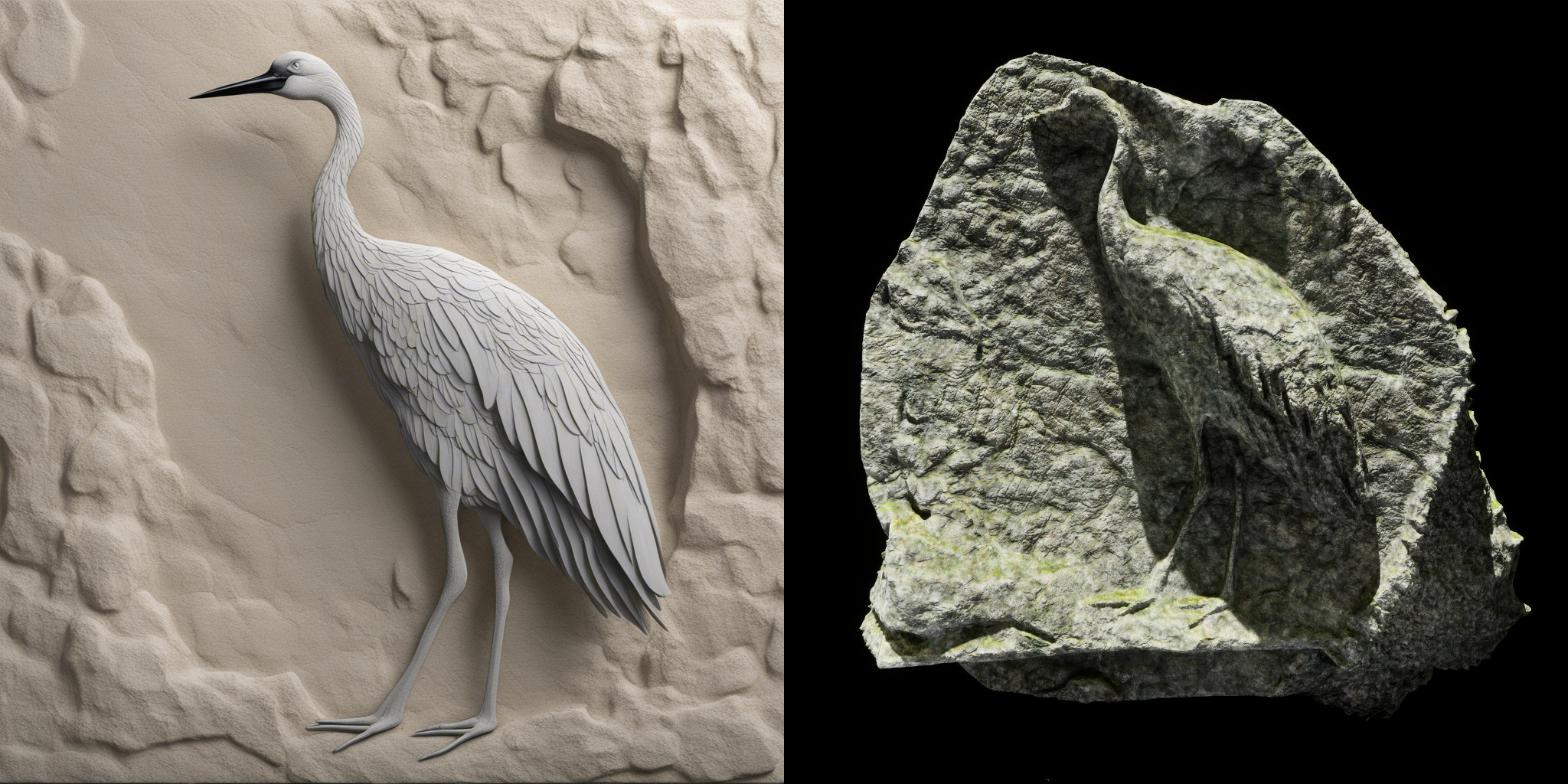
A Prompt is a textual description or set of instructions used to guide the behavior of a generative model for image creation. It defines the visual content, style, color scheme, and other characteristics of the image. If the generated images are to be used for creating bas-reliefs or rocks, it's important to consider the structure—what material the bas-relief should be made of and what texture or substance you want to use—as well as to avoid hard shadows.
An example Prompt for generating a rock-based bas-relief could be:
Ultra-realistic bas-relief of a crane bird, made in limestone rock with perfect side view. Generate a highly detailed image with natural rock background, but without hard shadows.
¶ Upscaler Terms
The Upscaler Tab used to increase the resolution of images.
¶ Output Resolution
Output Resolution refers to the dimensions of the final generated image, measured in pixels (size x size). It determines the level of detail and clarity in the image—higher resolutions contain more pixels and therefore more visual information.
¶ Save Format
Save Format refers to the file type and encoding method used to store digital image.
¶ Output Folder
Output Folder refers to the directory or location in a file system where the output files generated or processed by a program or application are saved.
¶ Plugins Terms
The Plugins Tab contains a collection of functions and structures for generating simple elements.
¶ Searching
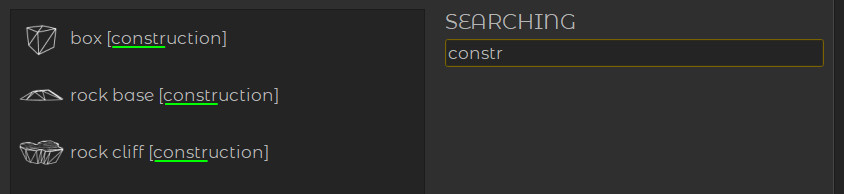
Searching refers to the process of looking for specific information in a list by entering a text query.
¶ Other Terms
The Other Terms section includes definitions of additional terms and concepts that are not covered under the main categories of the glossary.
¶ Credits
Credits represent usage units in the auctoria system and are consumed when performing AI-related operations such as generation, analysis, or simulation.
¶ Stripe
Stripe is a secure online payment processing platform that allows businesses to accept payments via credit cards, debit cards, and other digital payment methods. It is widely used in web and mobile applications for handling subscriptions, one-time payments, and invoicing.
¶ In-Depth Build Methods
There are many different methods for generating 3D objects using artificial intelligence — each designed for different types of tasks, input formats, and target applications.
In the case of the auctoria plugin, the implemented methods have been specifically developed to make it as easy as possible for users to describe the shape of an object, without requiring specialized knowledge in mineralogy or geology. Creating 3D forms based solely on verbal descriptions would be not only difficult but also imprecise. Therefore, the current version of the system prioritizes ease of use and user-friendly interaction.
The implemented solutions (Canvas Method, Cover Method) focus primarily on graphical forms of input — such as painting 2D images, which serve as the basis for generating 3D geometry. In the future, the functionality is expected to expand with a module allowing for more detailed, text-based shape descriptions.
¶ Canvas Method
The Canvas Method generates open 3D objects — meaning they may lack a base or a back side (as in the case of Bas-Reliefs). The geometry is typically rectangular and oriented to match the proportions of the input image.
This method is particularly well-suited for creating Relief-like structures, front-facing forms, and even Terrain surfaces.
¶ Cover Method
The Cover Method generates closed 3D objects — meaning they are fully enclosed and have volume on all sides, without missing bases or backs. This method works by modifying an existing basic shape; it does not create the initial shape itself but enhances and refines it.
It is well-suited for creating solid, volumetric objects such as Rocks, sculptures, or other natural forms that require realistic surface details and textures. The Cover Method was designed specifically for generating rock formations on top of any base mesh.